
01 Sound
Live subtitles · over any app
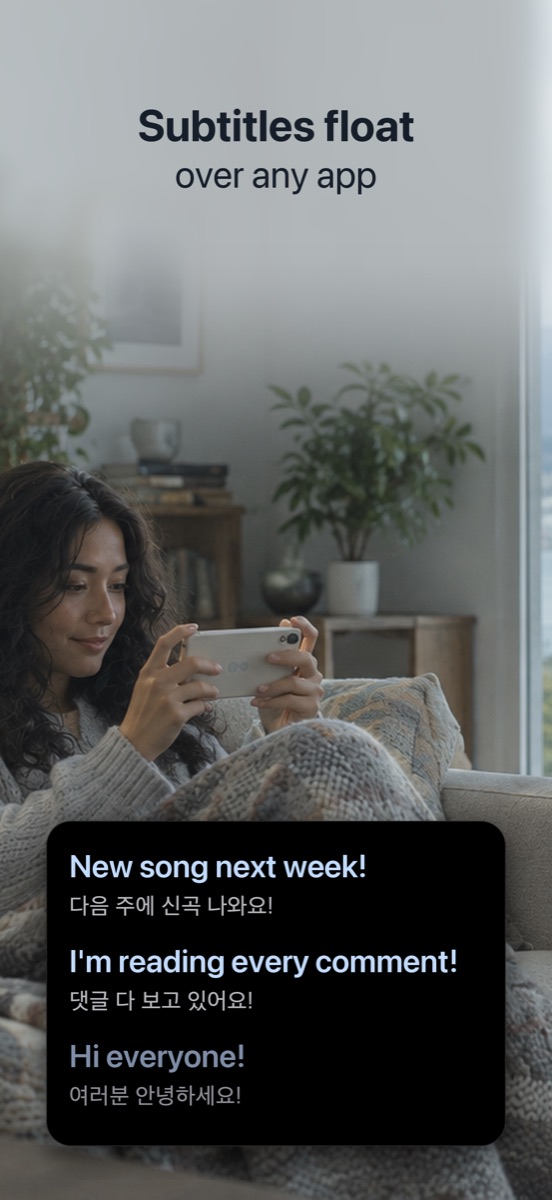
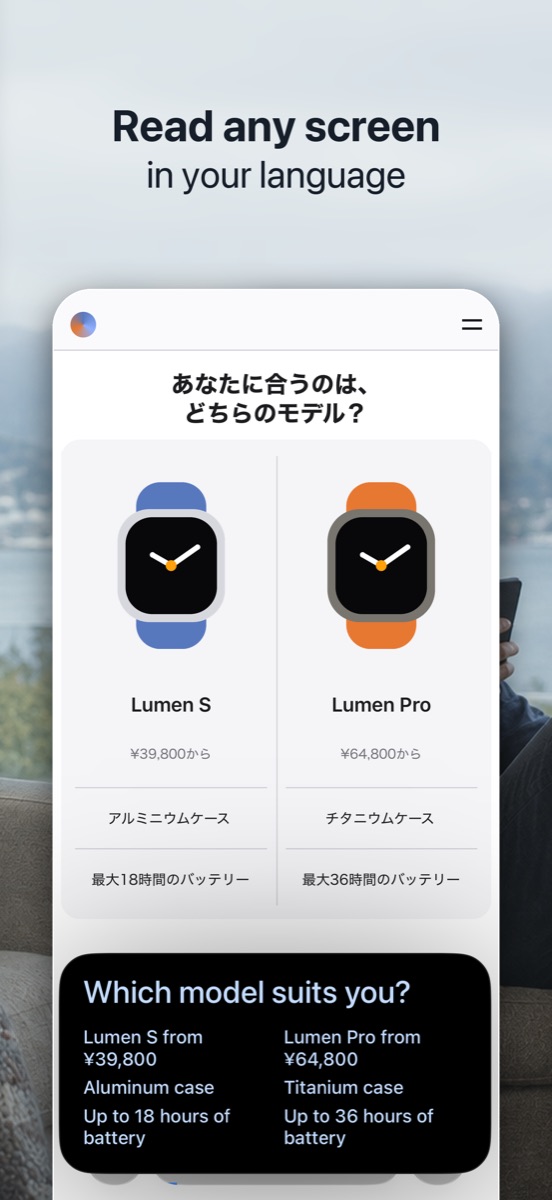
Hono Translate listens to the audio playing in any app on your iPhone, translates it as it is spoken, and floats the subtitles on top of your screen — so you keep watching, in a language you actually read.

Works over anything that plays sound

The gap
Subtitles exist for what is popular and on demand. Everything else — the live, the raw, the audio-only — you are on your own. That is the whole reason this app exists.
A live stream happens as it happens. No fansub group can prepare a translation in advance, and by the time one is posted, the moment is gone. Idol streams, sports commentary, keynotes, live shopping — none of it can ever be pre-subtitled.
Japanese, Korean and Chinese drama and anime straight from the source, imported films, foreign-language YouTube. Often audio-only, and when subtitles do exist they are in a language you do not read.
Podcasts, audiobooks, interviews, lectures, online meetings and briefings. There is no video to subtitle — but there is audio, and audio is all it ever needed.
How it works
No setup, no accounts, no subtitle files to hunt down. Here is the whole flow, with nothing cut out.
The left menu is what is being spoken, the right menu is what you want to read. If a language pack still needs downloading, the app tells you before you start rather than leaving you with a silent window.
iOS asks you to confirm — tap Start Sharing in the system sheet, then tap the empty space below it, because iOS keeps the sheet open until you do. That sheet is not a warning: it is the only way any iPhone app can receive another app's audio, and it is the one permission the subtitles need.
Once the sheet closes, the subtitle window floats up on its own and your iPhone returns to the Home Screen. Open your video again and the window keeps pace with the dialogue. Drag it, resize it, switch apps — it stays on top and keeps updating.
Subtitle card
The newest line sits on top and earlier ones slide down. Drag the top edge to keep the last few lines of a fast conversation on screen.
Tested apps
Any app that plays sound, because the subtitles come from the audio rather than from a connection to the app. These are the ones checked on a real iPhone:
Videos and live streams, even with no captions; turn off YouTube's own picture-in-picture if it takes the subtitle window's place.
What the host says, while you keep watching and commenting; nothing is sent to TikTok or the host.
Lives, Reels and Stories all work the same way.
In the Twitch app or in Safari, whether or not the streamer sends captions.
With or without Digital Membership, for lives in Korean, Japanese, English or Chinese; idol names can come out misspelled.
Any channel on YouTube, members-only streams included if you can watch them.
Live and catch-up; whether a programme plays where you are is up to the app.
Chinese videos and lives, translated into the language you read.
Video on any website, in the browser.
Security & privacy
Both halves of the pipeline — speech recognition and translation — run locally on your iPhone using Apple's on-device frameworks. Your audio and subtitles are never uploaded.

Free to try
Free to download and free to try. Open it, start a session, and the subtitles appear over whatever is already playing — your video, your language, your accent. You get enough goes to make up your mind before paying anything, and paying is what removes the limit for good: unlimited subtitles from then on.
Download on the App StoreFAQ
Not speech in another language. Live Captions writes down what is said without translating it. Live Translation works in Phone, FaceTime and Messages, not over a video. Generated subtitles in iOS 27 are English only, and their translated version needs a video that already has English subtitles. Hono Translate covers the case none of them do: translating what is being said, in any app, as it is said.
Yes, and one iPhone is enough. Through screen sharing — the iOS sheet you confirm when you start — iOS hands the sound that is playing to the app you pick. Hono Translate takes that audio from iOS, not from the microphone, so headphones are fine, and its subtitles float in a Picture-in-Picture window over TikTok, YouTube or any other app.
An iPhone on iOS 26 or later. The first time you use a language, the app downloads that language's recognition and translation models. After that it works fully offline.
Any iPhone running iOS 26 or later. To check yours, open Settings › General › Software Update: it shows which iOS version you have and, if you are not on iOS 26 yet, whether your iPhone can update to it.
Because iOS has no API that simply hands one app another app's audio. The screen-sharing mechanism is the only route that exists, so the system sheet appears and you tap Start Sharing. Hono Translate uses the audio stream only, and nothing leaves your iPhone. The only time anything is saved is when you record a clip yourself, and it goes straight to your Photos.
Yes, once a language pair has been downloaded. Recognition and translation both run on the device, so no connection is needed while you watch.
The list is read from iOS at runtime rather than hardcoded, so it tracks what your particular iPhone can do. On the listening side it is the overlap between Apple's on-device speech models and its translation models — English, Japanese, Korean, Chinese in both scripts, Cantonese, Spanish, French, German, Portuguese, Italian, Hindi, Russian, Turkish, Indonesian, Thai and Vietnamese — some of them through Apple's on-device dictation model, so each sentence takes a few seconds longer to appear. On the reading side, any language Apple's translator handles. Models download the first time you pick a language, so a fresh phone shows fewer until it has fetched them.
No. iOS allows only one Picture in Picture window at a time, so if another app opens its own, yours is taken over. The audio share keeps running and the app's button becomes Open Subtitle Window. One tap brings it back.
Look at the status line above the big button on the main screen — it names whichever stage is pending, whether that is a model downloading, a language pack not yet installed, or audio not being shared. No line there means there is nothing for you to do. Also make sure the video is not muted, and check for the red recording indicator in the status bar, which means audio really is being shared. Recognition works from sound, so heavy background music or several people talking at once will noticeably reduce accuracy.
No. Free to download and free to try — you get enough goes to make up your mind before paying anything, on your own video and in your own language. There is no card to enter and no account to create. Paying is what removes the limit for good: unlimited subtitles from then on, bought through the App Store.
Free to download and free to try. You get enough goes to make up your mind before paying anything. Paying removes the limit for good — unlimited subtitles from then on — as a monthly subscription, a yearly one, or a one-time lifetime unlock; current prices are shown in the App Store in your own currency.

Free to start. Works right away. No account, no upload, nothing to set up.